
Defining closed days and deviating order deadlines for specific dates
MyFoodOffice offers easy temporary adjustment to order deadlines for banking days and holiday periods, without altering the overall general order deadlines settings.
Here’s an overview of how to efficiently manage temporary adjustments, and what you will learn in this article:
- Set specific dates as closed
- How to exempt VIP customers from your closed dates, to ensure continued service per agreement
- Define deviating deadlines in connection with holiday periods and special circumstances
- How the system prioritizes between deadlines if you have a combination of several deadline settings with scenarios
Overview of B2B Sales tiers and included functions
The settings available is contingent on your licensed B2B Sales tier, as reflected in the table below.
| Order deadlines parameters | B2B Sales | B2B Sales |
|---|---|---|
| Closed days | ✔ | ✔ |
| Closed days for specific customers, pausing standing order | ✔ | ✔ |
| Deviating deadlines for specific dates (e.g. public holidays) | ✔ | ✔ |
| Deviating deadline for article ordering rules |
| ✔ |
| Deviating deadline for customer ordering rule |
| ✔ |
1. Closed days
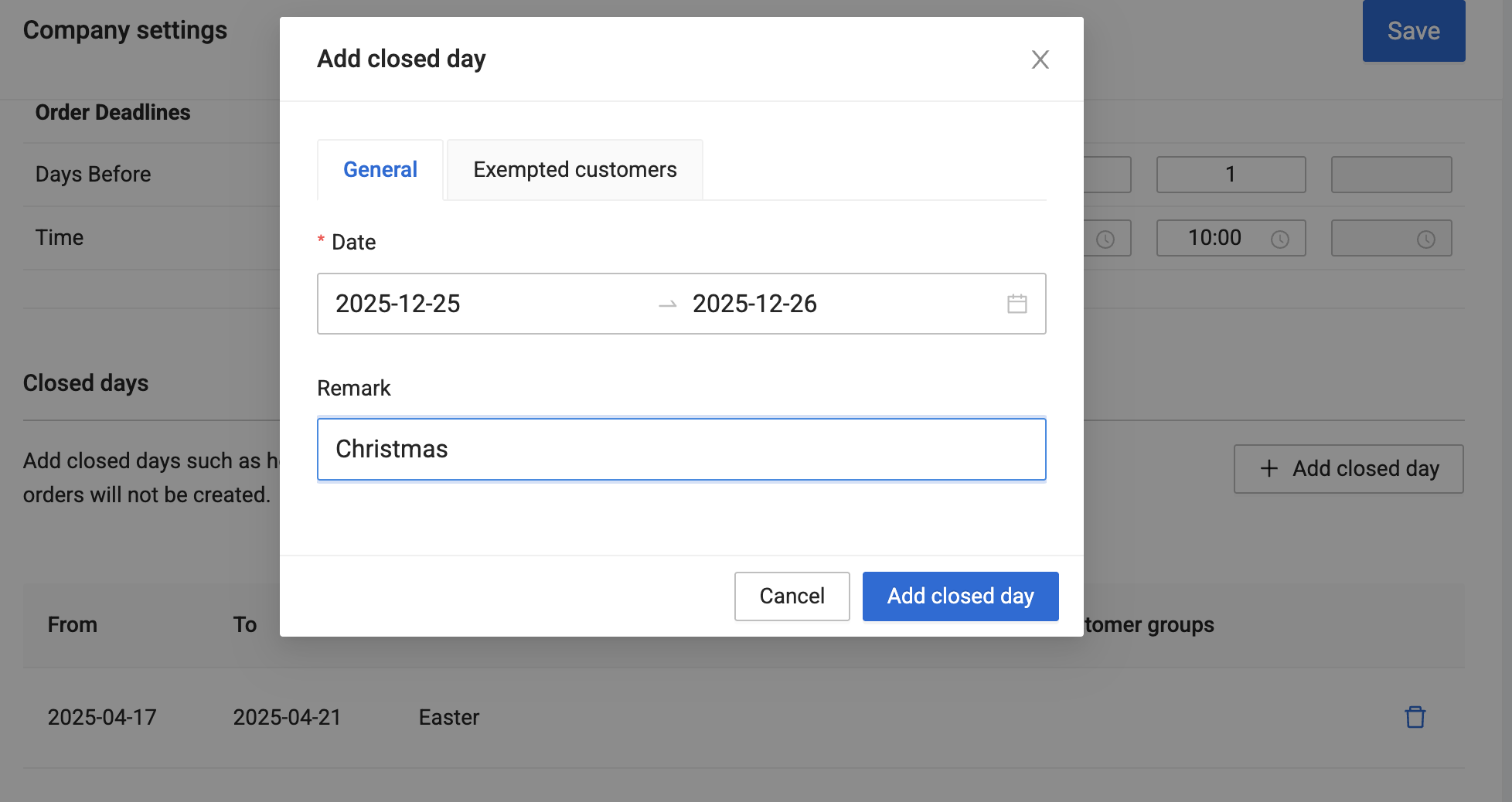
Manage closed days efficiently by setting general closures for holidays like Christmas and Easter, ensuring no orders are scheduled during these periods. Additionally, the system allows you to grant exemptions to specific customers, enabling them to place orders even on closed days if needed per customer agreement.
2. Closed days for specific customers
Beyond general closures, you can also configure customer-specific closed days within the Standing Order Plan inside the customer card.
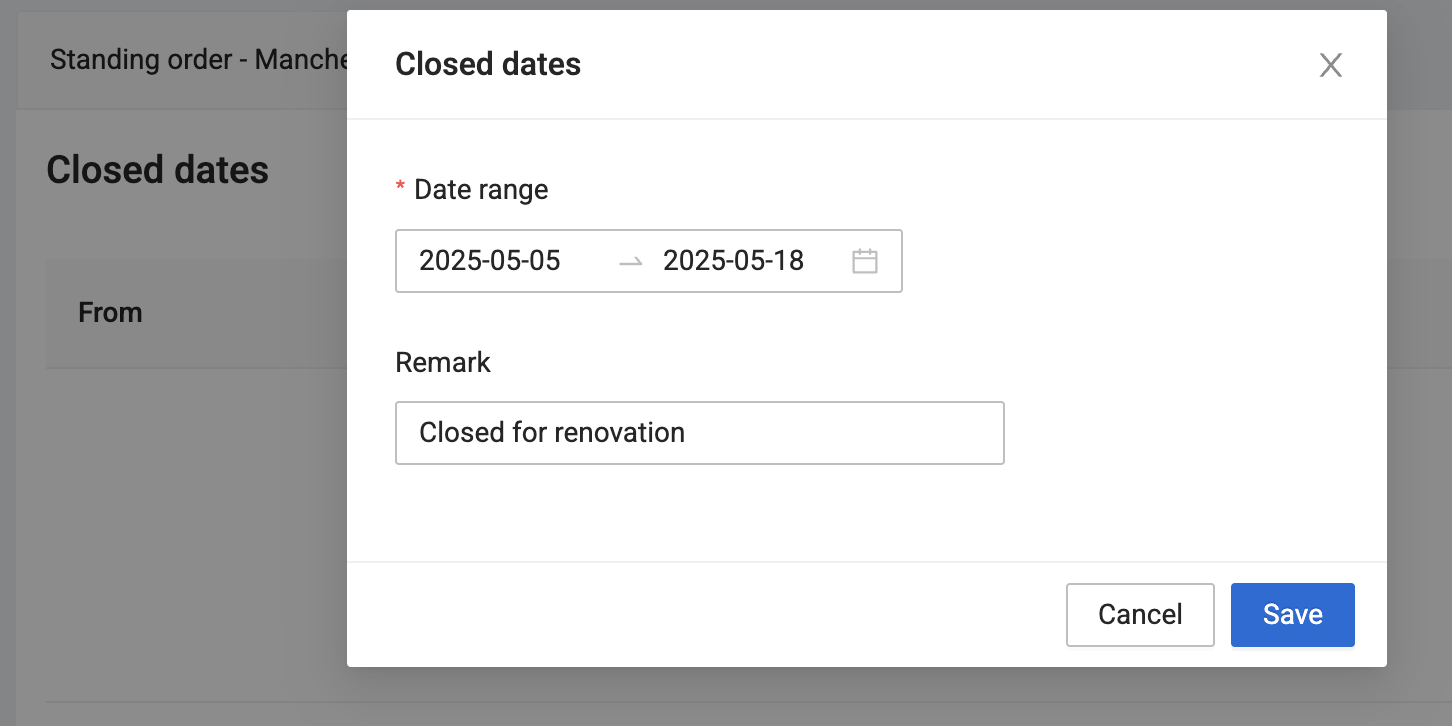
This feature is useful for tailoring schedules to individual customer needs, such as pausing the standing order for a client during their vacation or seasonal breaks.
3. Deviating deadlines for specific dates
During holiday periods or specific events, you may need to apply deviating deadlines for specific dates. Normally, these deadlines are stricter than normal.
For example:
- All orders might need to be submitted before December 20th for the Christmas holidays.
- Or you might need all orders to be submitted at least 4 days prior to delivery during Easter.
This feature allows for temporary adjustments without altering the overall general order deadlines settings, providing adaptability during peak periods or special circumstances.
4. Deviating deadlines for specific articles and customers
Depending on your own accounts configuration, you may already have defined order rules assigned to particular articles and customers.
The starting point is that the general deviating order deadline will take priority above all other deadline settings as long as the deviating deadline is the strictest.
Order rules assigned to articles and customers that from beginning are stricter than the general deviating order deadline will still be respected.
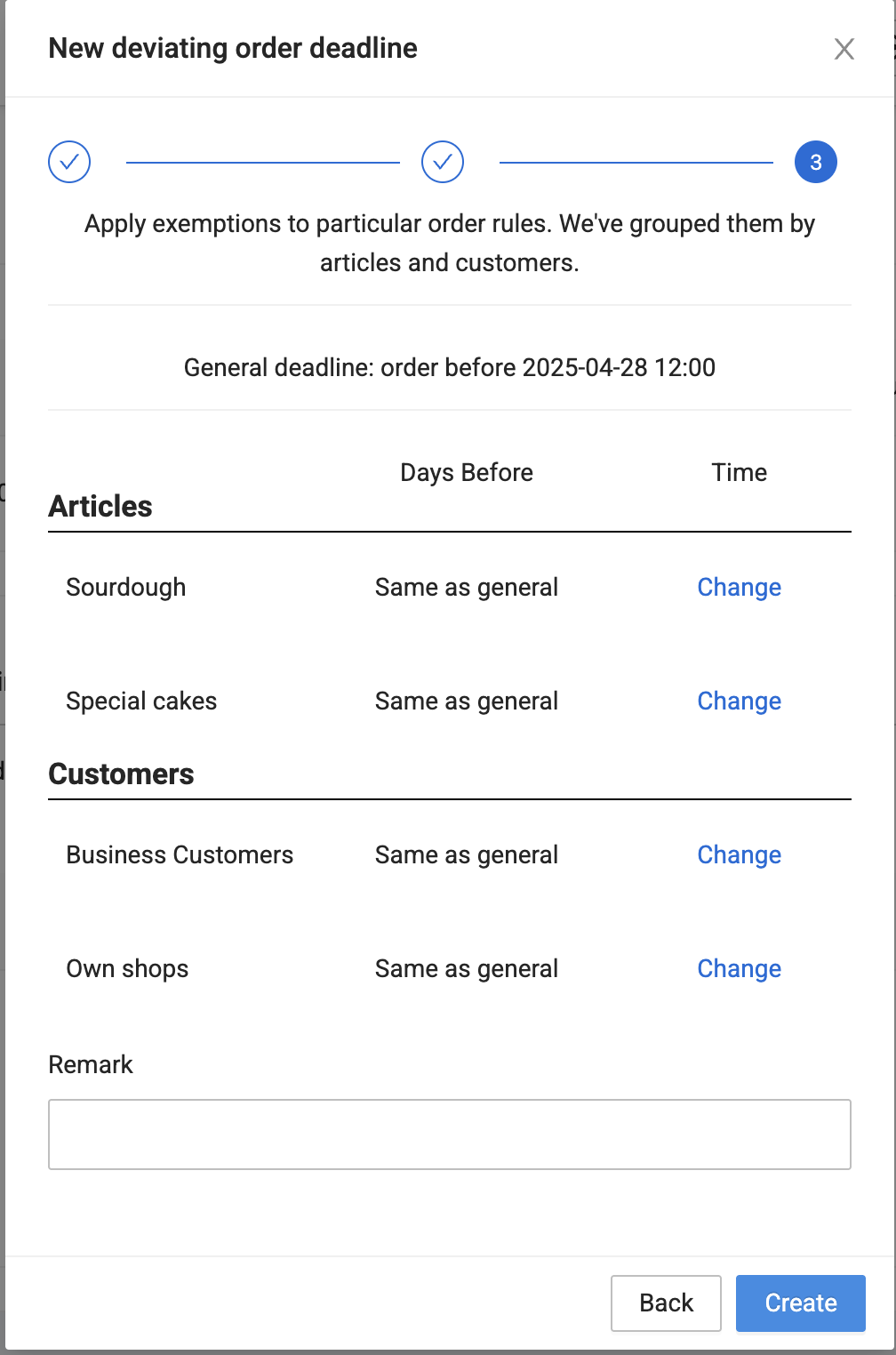
Some articles and/or customers may require a different deviating order deadline than the general deviating order deadline. If so, you can easily modify this to the extent needed as illustrated in the attached screenshot.
Examples:
- Special cakes needs to be ordered by 22nd of December for deliveries at 27th and 28th, while everything else can be ordered until 23rd of December.
- Your own shops can order until 21st of December for deliveries at 27th, while all other customers can order until 22nd.
5. Priority of deadlines and scenarios
Given that we offer the flexibility to arrange order deadlines for both customers and articles, as well as for specific dates, the system needs to know how to prioritize between the different rules if several of them come into play at the same time.
Simply put, our system will first search for deviating order deadlines with the following hierarchy of priorities
- Temporary deviating order deadlines for customer order rules
- Temporary deviating order deadlines for article order rules
- Temporary, general deviating order deadline
If no deviating order deadlines are found, the system will following the general order deadline settings as explained in this article
- Customer order rules
- Article order rules
- General order deadlines
6. Example scenarios
Here are two examples to illustrate how the system works;
Scenario 1 - Closed 1 May and deviating deadline for delivery 2nd of May
The table below shows the number of day prior delivery that an order must be placed. For simplicity we have left out the deadline time, e.g. before 15.00
| Weekdays | Mon | Tue | Wed | Thur | Fri | Sat | Sun |
| Dates | 29.04 | 30.04 | 01.05 | 02.05 | 03.05 | 04.05 | 05.05 |
| Closed dates | X | ||||||
| Deviating deadline for VIP customer order rule for delivery 2 May | Within 27.04 | ||||||
| Deviating deadline for special cake order rule for delivery 2 May | Same as general | ||||||
| Deviating general order deadline for delivery 2 May | Within 28.04 |
Result: The VIP customer must place orders within 27 April for delivery on 2 May. This applies to all articles that the customer can order for delivery this day. All other customers must place orders within 28 April for delivery 2 May, including the special cake. Since nothing is set for the the special cake order rule, this group of articles will follow the deviating company deadline which is within 28 April.
1 May is set as closed, so no customers can place orders for delivery 1 May. For all other weekdays this week, the normal order setting will apply.
Scenario 2 Specific date Christmas
| Weekdays | Mon | Tue | Wed | Thur | Fri | Sat | Sun |
| Dates | 22.12 | 23.12 | 24.12 | 25.12 | 26.12 | 27.12 | 28.12 |
| Closed dates | X | X | X | ||||
| Deviating general deadline | Before 21.12 | ||||||
| Deviating deadline for article order rule croissants | Before 21.12 | ||||||
| Deviating deadline for customer order rule VIP customer | Before 23.12 |
Result: The VIP customer can order all articles for delivery 27th of December until 23rd of December, including croissants. All other customers must place their order within 21st of December to order crossaints, and 22nd of December for all other articles.