
How to use the Campaign feature for Customer Announcements
Campaigns are a great way to make announcements to your customers or shops.
You can easily send a notification to order Christmas articles, let your customers know about new articles or tell them that your business will be closed in September because of building maintenance.
Use Case: Notify your shops to order articles for Mother's Day
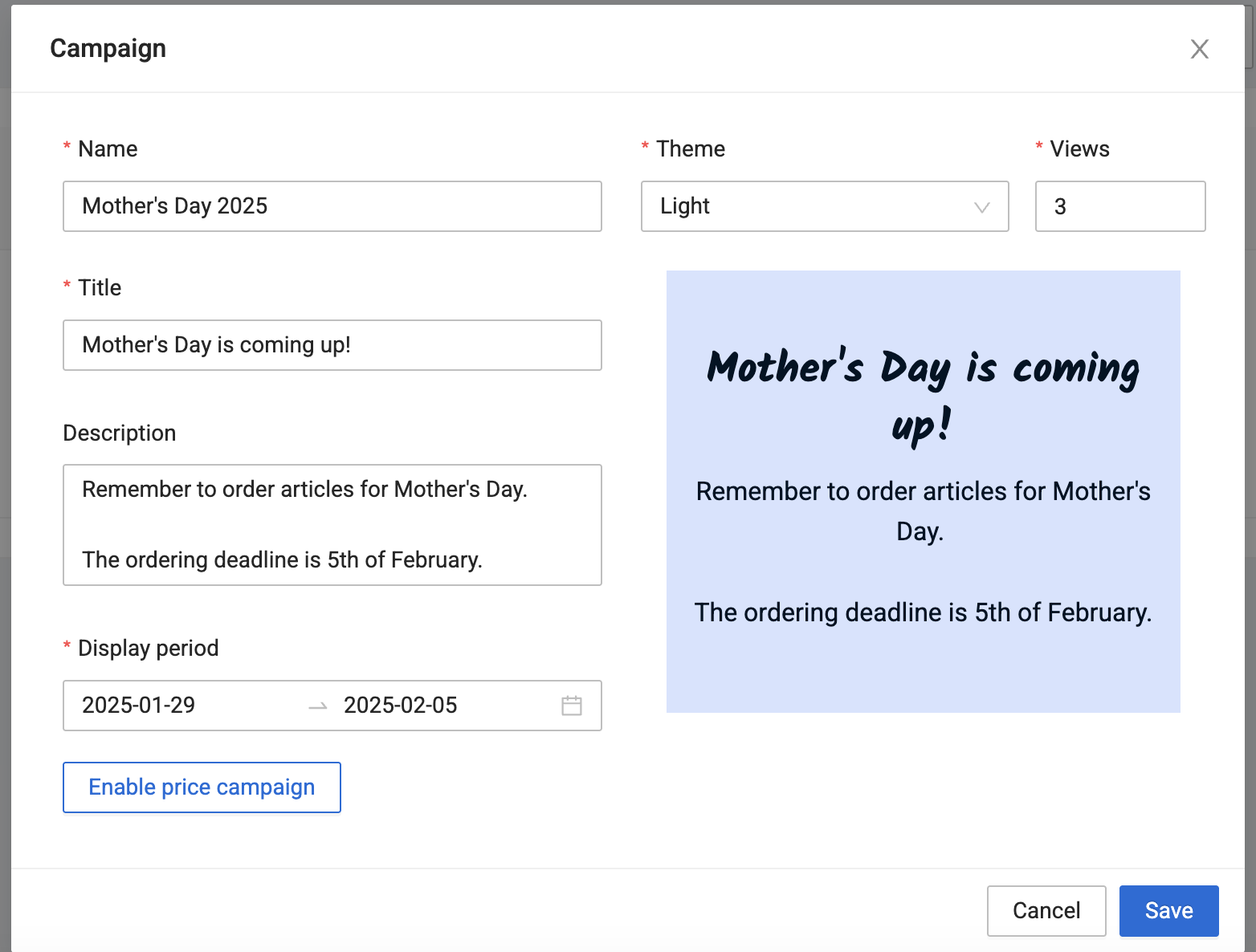
From the Campaign page we create a New Campaign, and add the following information:
- Name: Mother's Day 2025
- Title: Mother's Day is coming up!
- Description:
Remember to order articles for Mother's Day.
The ordering deadline is 5th of February. - Theme: Light
- Views: 3
- Display period: 29.01.2025 - 05.02.2025
Add Customers and Articles
After creating the campaign, we choose our shops and relevant articles:
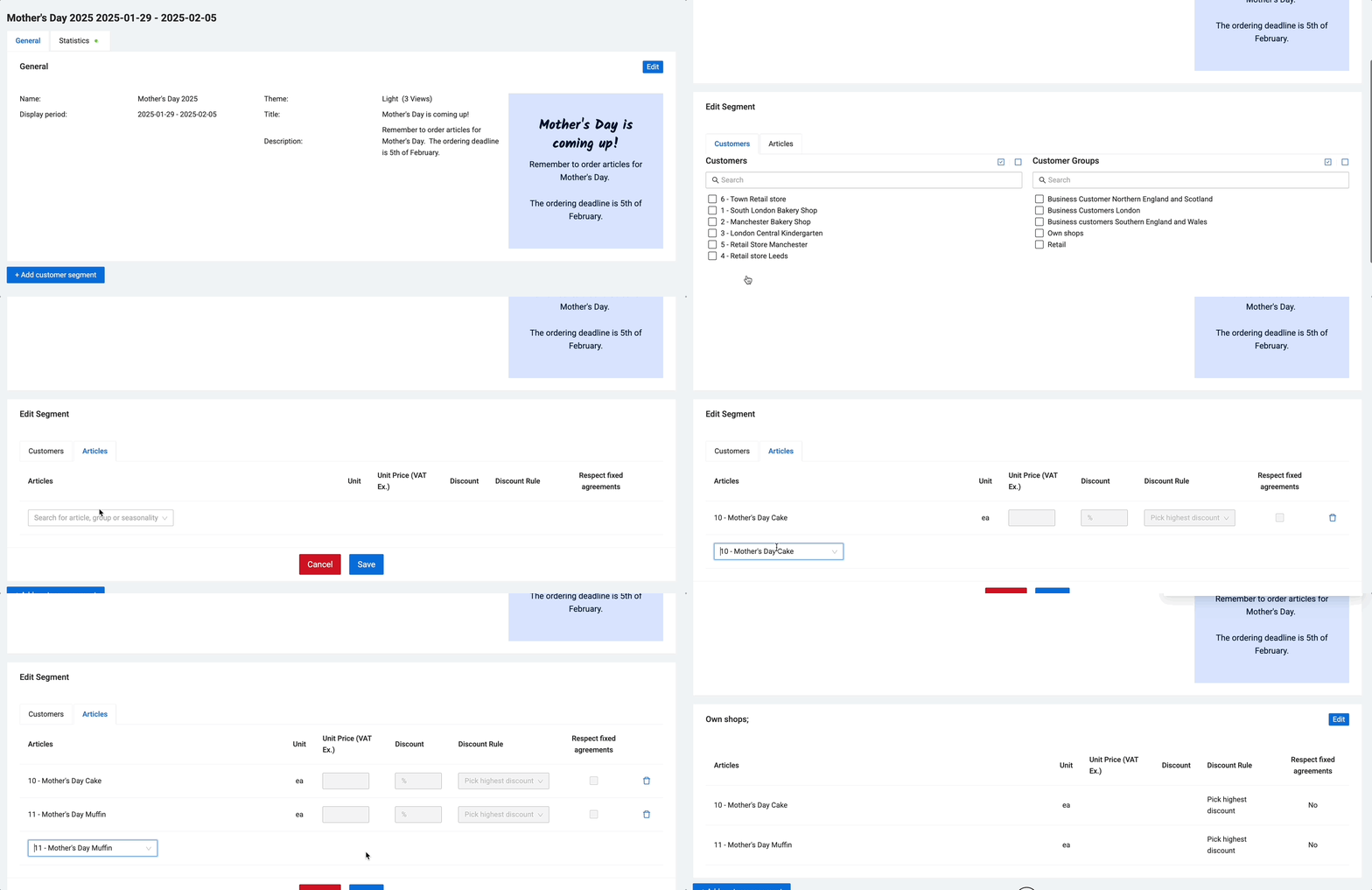
Now the campaign is deployed, and will notify shops on the set date (29.01.2025).
| Note: |
|
Last updated: 8/5/25, 2:16 PM