
Future Price adjustments and bulk price change
How to adjust your prices in MyFoodOffice
It is common to adjust sales prices once or twice a year. In MyFoodOffice, you can easily plan future price changes and update all or parts of your assortment simultaneously (bulk editing). Below you will find step-by-step guides and instructional videos showing how to proceed. Click on the video to view it in full screen.
Create a Future Price Change
By creating a future price change, you create a copy of today's prices that only takes effect on a chosen date. This allows you to work on the new prices in peace without affecting the prices your customers see today.
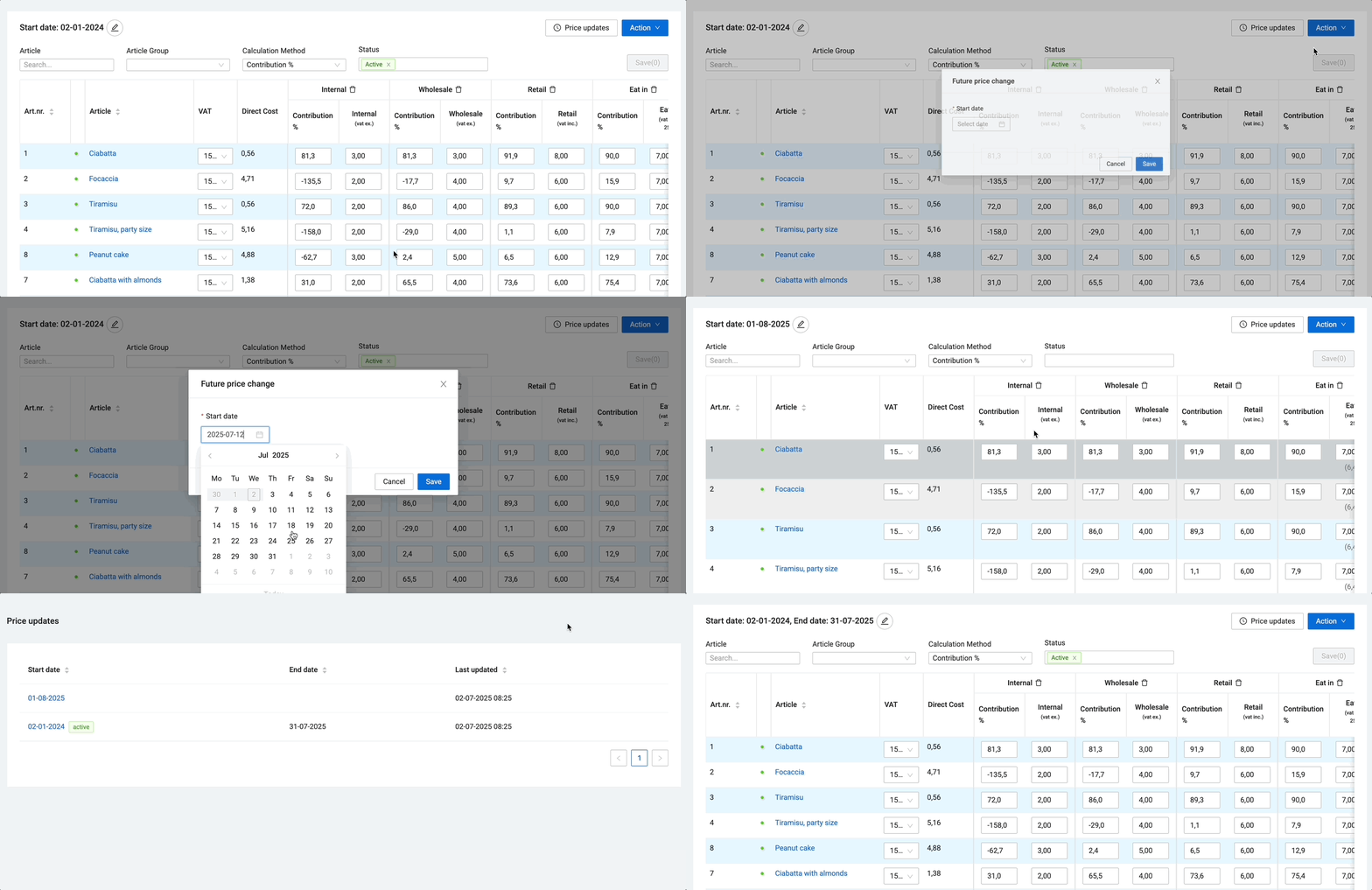
- Go to the Sales Prices page.
- Press Action, and New future price change.
- Select the start date for the price change.
Change multiple prices simultaneously (Bulk price change)
If you are going to increase prices by a fixed percentage or a specific amount for many items at once, use the bulk price change function.
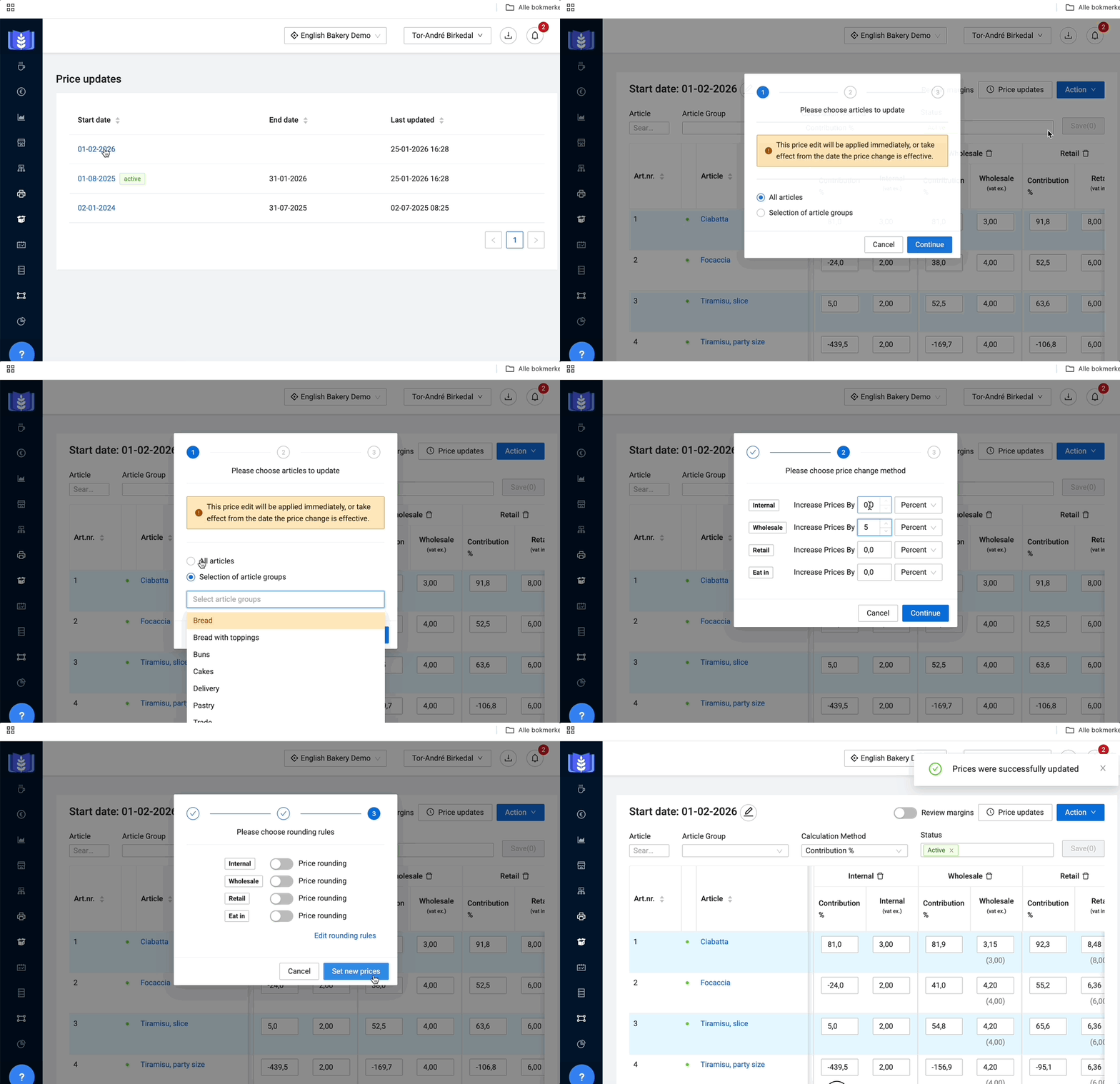
- Go to the Sales Prices page.
- Click on Price updates, and select the latest price update.
- Press Action, and Bulk price change.
- Select article groups:
- Select All articles to give all items the same price increase.
- Select Selection of article groups if you are only adjusting parts of the assortment.
- Note: If you have different increases for different groups (e.g., 5% on cakes, cookies, and buns and 4% on bread and rolls), you must perform the process once per rate.
- Set the increase: Choose the percentage or amount increase you want for each price group.
- Rounding rules: Here you can set up rules for how the new prices should look.
- Example: Prices should always be integers, or retail prices should always end in 9 (e.g., 19.-) or 0.90 (e.g., 5.90).
- Press Set new prices. The selected articles and price groups are now updated in the list.
| Recommendation: |
| If you make a mistake in a future price update, it is often easiest to delete the entire list and start over with a new copy. |
Further readings
Last updated: 6/18/26, 1:29 PM