
Manage your Sales Articles
1. Types of Sales Articles
MyFoodOffice has three types of articles that can be sold:
- Products: Articles that you produce at your central site (eg. Breads and Cakes)
- Merchandises: Articles produced elsewhere, but sold from your central site (eg. Coca Cola and Coffe Beans)
- Packaging: Materials that can be sold directly and utilized for food costing calculations.
Important Note |
Every Sales Article must have its status set to Active to be visible and available for customers to purchase. |
2. Managing Sales Prices
Prices can be set from inside each article page, or you can go to Sales prices.
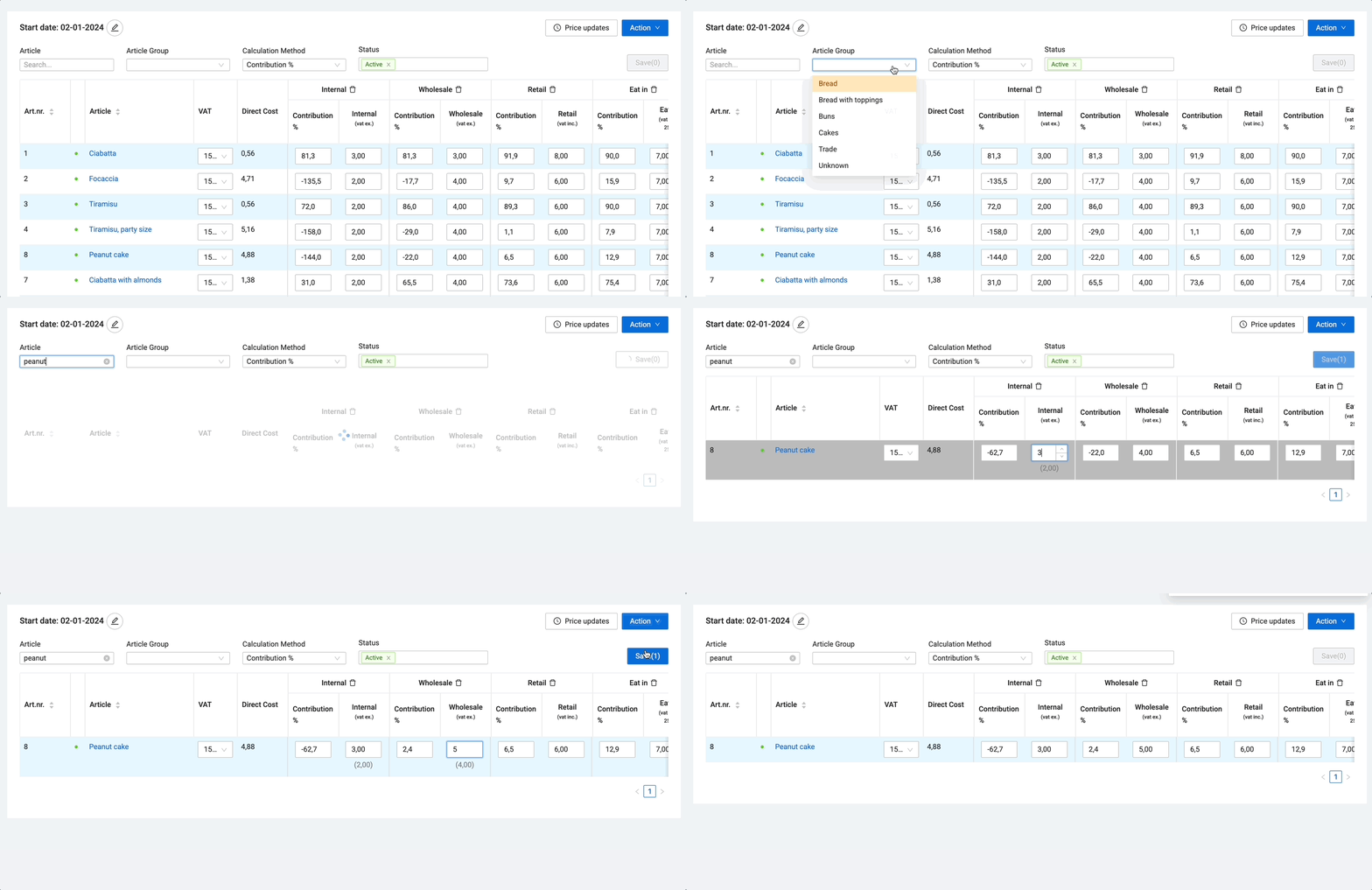
We recommend managing your prices from Sales prices, as it provides a clearer overview, simplifies bulk price adjustments, and allows for faster navigation between your articles.
Further reading: Manage your Prices
Importing Articles and Prices |
If you have not yet added your Articles, your MyFoodOffice contact can provide an import template. Simply add your articles, prices, and other details to the spreadsheet, and we will handle the import for you. |
3. Optimizing Production settings
The settings you choose for each article are used to generate accurate production reports, organize packing notes, and streamline Digital Production if you are going paperless.
When creating or editing an article, you will define three main settings:
Setting | Description | Examples |
|---|---|---|
Department | The specific area where the article is produced. | Bakery, Confectionery, Kitchen |
Article Group | The broad category the article belongs to. | Breads, Cakes, Ice Cream |
Report Group (B2B Pro) | An advanced setting to further organize and personalize your reports. | Frozen vs. Fresh, or assigning items to specific packing stations |
Further reading:
- Restrict Article access with Sales Catalogues
- Understanding Production Reports (article coming soon)
- Setting up Custom products, eg. special cakes (article coming soon)