
Get started with Campaigns
Increase your sales with campaigns and make sure your own shops are ahead with our Campaigns feature.
Do you want to highlight seasonal favorites, new creations, or discounted articles, either to your customers or your own shops?
With B2B Pro, you can easily set up and manage these promotions using the Campaigns feature.
What You Can Do with Campaigns
The Campaigns page lets you:
- Create new campaigns
- Edit and update existing ones
- Keep track of all your active and past campaigns
This is perfect for promoting seasonal items like Christmas pastries, new articles, or special offers on catering deals, breads, and desserts.
Setting Up a Campaign
When you create a campaign, you can add:
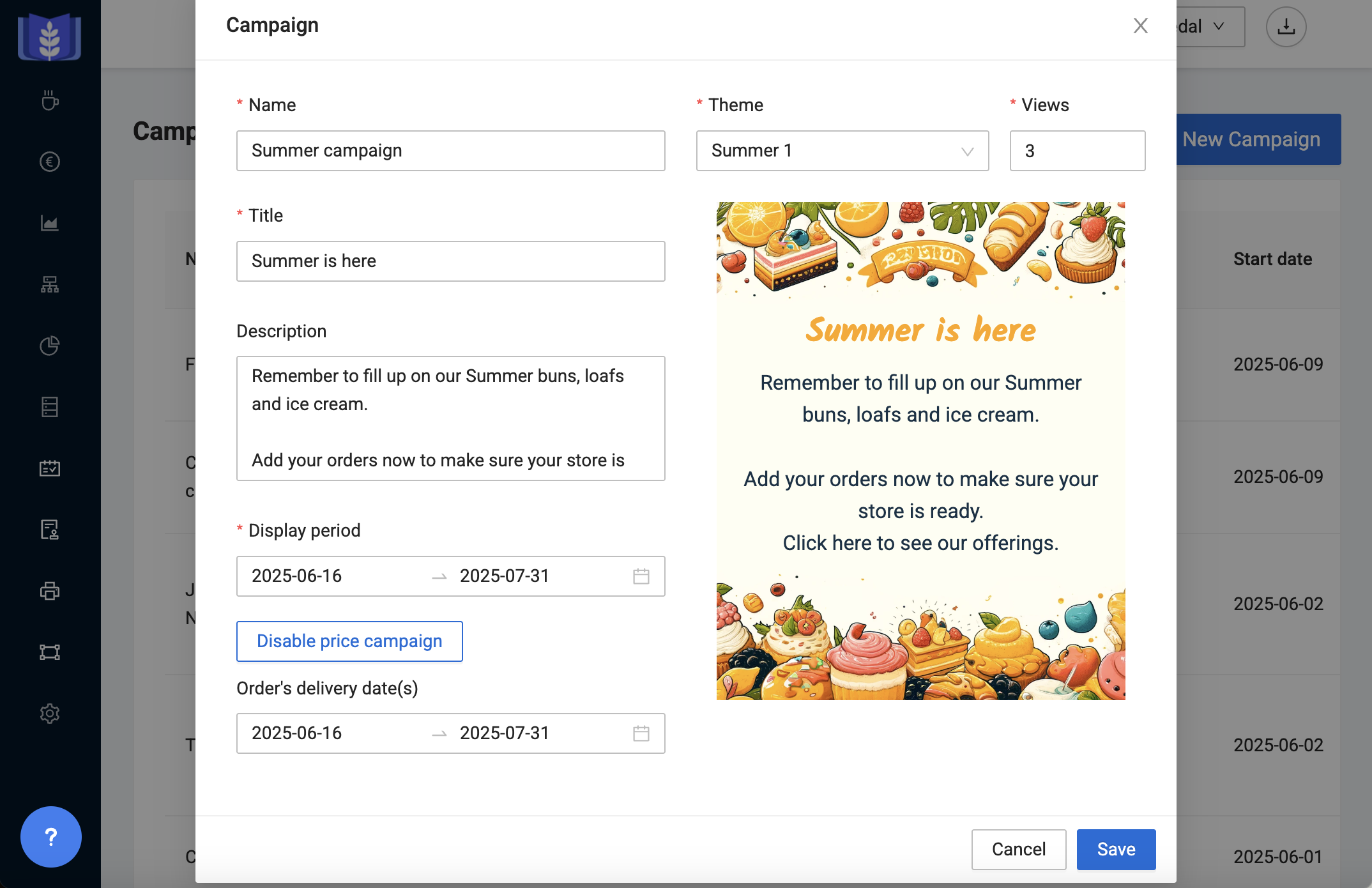
- A title and a description
- A campaign image (e.g., a photo of your article or one of our existing themes)
- Views is the number of times you want your customer to see the promotion.
- A start and end date for when the campaign should run
- Enable a price campaign with a start and end date (optional)
| User tip: Customer announcements |
| Use the campaign feature for general customer announcements or reminders to your own shops. Learn more here |
Add Articles, Prices, and Customers
After creating the campaign, you can:
- Select which customers should see the campaign
- Choose the articles included in the offer
- Set campaign prices either through discount or with specific prices for each article (learn more)
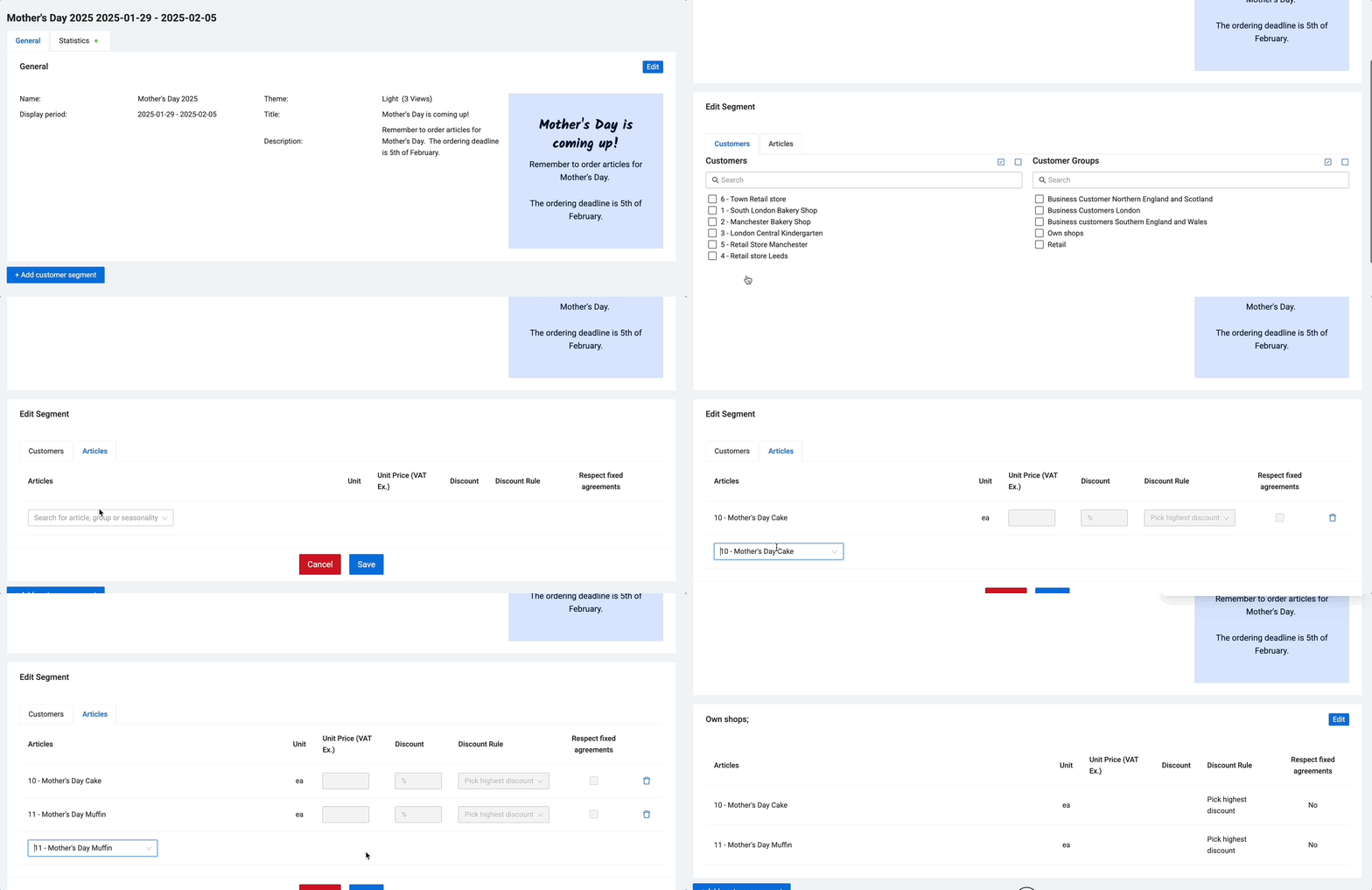
Use customer segments to differentiate which articles and discounts different customers get access to during the campaign period. A campaign can have multiple customer segments, and each customer segment can have it's own set of offerings.
| Resources |
Last updated: 8/6/25, 9:22 AM