
Manage your Prices
This article will walk you through the fundamentals of how to add or update prices in the system, whether you're entering them for the first time or adjusting existing ones
1. Price groups and VAT
On the main price page you can have up to four groups of prices;
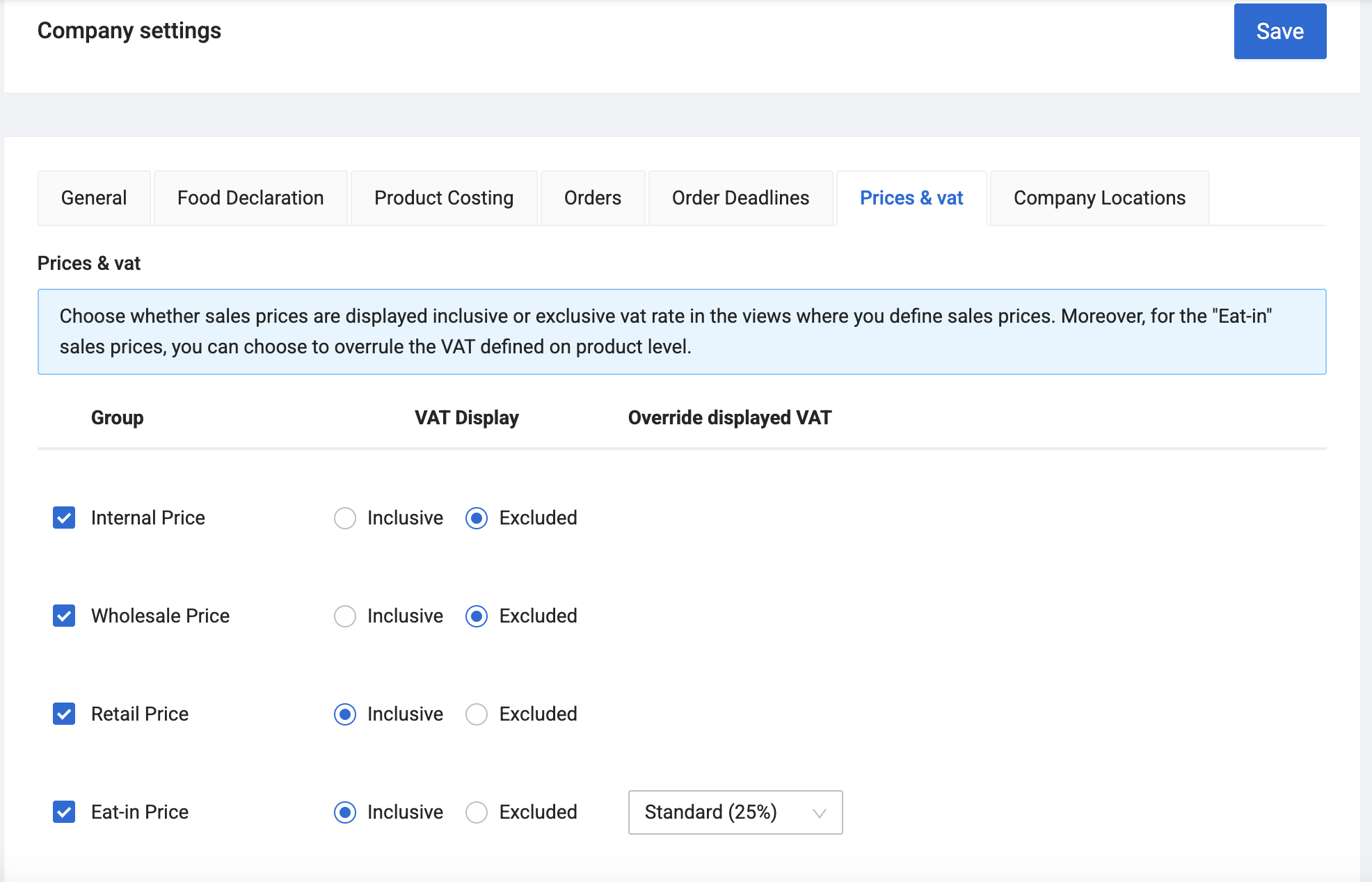
- Internal Price
- Wholesale Price
- Retail Price
- Eat-in Price
You can decide which price groups you are using and your VAT-setup from the Company settings tab called Prices & vat.
| Note |
| Every customer must be linked to a price group, which serves as their default pricing model unless custom prices are applied. Learn more about custom prices here. |
2. Adjusting Prices to your Articles
Prices can be set from inside each article page, or you can go to Sales prices.
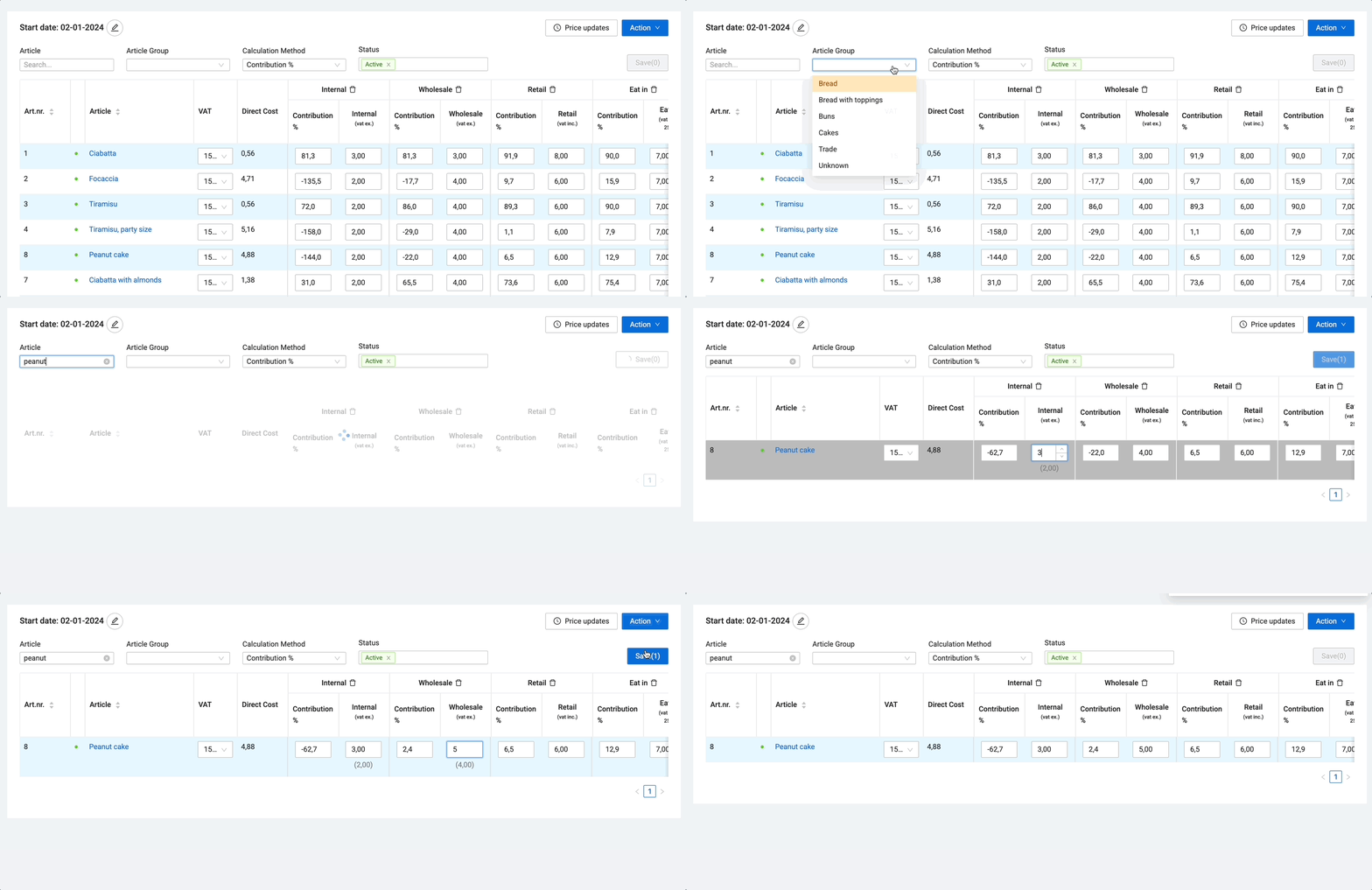
We recommend managing your prices from Sales prices, as it provides a clearer overview, makes price adjustments easier, and allows for faster navigation between your articles and price groups.
Further reading: How to make future price adjustments
| Importing Articles and Prices |
| If you have not yet added your Articles, your MyFoodOffice contact can provide an import template. Simply add your articles, prices, and other details to the spreadsheet, and we will handle the import for you. |
3. Assign the correct Price Group to your Customers
When creating a new customer, you are required to assign them to a price group. This ensures that the customer have a base price for your articles. You can update their price group at any time from the customer card.
4. Assign Custom Prices to your Customers
If your standard price groups don't fit all clients, you can use custom pricing options:
- Price Rules: An easy, rule-based setup to automatically apply specific discounts and price lists to customers.
- Price Lists: Dedicated, specific price agreements for absolute control over individual item rates.
Further reading: Custom Pricing: How to Offer Discounts and Set Fixed Prices
| Recommendation |
| We recommend having as few Price Lists as possible. Instead, you should mainly use discounts on your Price Groups to keep your system clean and easy to maintain. |